Capstone Client Project: Safe Future Barcode for Good
Safe Future Foundation | Nonprofit Inventory System

Project Information
- Client
- Safe Future Foundation
- Client contact
- Chris Tobey
- Project type
- Professional client engagement through senior capstone
- Project name
- Safe Future Barcode for Good
- Role
- Full-stack developer on a year-long nonprofit client engagement
- Focus areas
- Responsive UI, inventory workflows, exports, QR tooling, operations dashboard, security, documentation
- Process
- Scrum, Jira, recurring client meetings, class demos
- Repository
- eraser4521/SafeFutureInventorySystem
Overview
Safe Future Barcode for Good was a year-long client engagement with Safe Future Foundation, a Jacksonville nonprofit supporting diaper-bank and community resource operations. It was completed through my UNF senior capstone sequence, but the work itself was real professional software delivery for a real organization. We were building an internal system the client could actually use to track donated inventory, label items, monitor stock risk, and export operational data.
My contribution grew well beyond back-end implementation. I helped shape the application as a full-stack product by improving the browser experience on desktop and mobile, expanding reporting and QR workflows, tightening operational visibility, and producing professional documentation that could speak to both technical maintainers and business stakeholders.
Business Value
The system was designed to make nonprofit operations more reliable. Accurate stock counts, low-stock visibility, mobile-friendly item lookup, printable QR labels, and downloadable reports all support the practical work of receiving, organizing, and distributing inventory for families in need.
That meant the project had to succeed on two levels at once: it needed to be technically sound, and it also needed to be understandable and useful for people making operational decisions. I treated both as part of the job.
My Role
This was a team effort, but I took ownership across both implementation and product polish. I contributed to front-end behavior, back-end workflows, reporting, documentation, and security review rather than staying isolated to one layer of the stack.
- Built and refined mobile UI behavior so key inventory workflows worked better on phones as well as desktop
- Finished export workflows, including Excel output for operations and reporting
- Created QR generation and batch QR print/export tooling for physical labeling workflows
- Implemented low-stock alerts, thresholds, and monitoring views tied to day-to-day inventory risk
- Built a fuller operations dashboard with summary cards, attention views, and recent-activity visibility
- Added admin-only metadata editing on item details pages and preserved inventory list state between navigation steps
- Performed a full security audit and tightened the application around safer defaults and role-aware access
- Wrote a professional README intended for both technical and business audiences as the primary project handoff document
How The Project Worked
The engagement ran across the academic year using Scrum and Jira, with recurring client meetings and milestone demos. That structure mattered because the software kept evolving around real feedback. We were balancing professor-facing deliverables, team coordination, and the practical needs of an organization that would actually use the system.
Working in that environment taught me to think in terms of delivery, not just implementation. Features needed to be usable, understandable, supportable, and defensible in front of both stakeholders and technical reviewers.
That is why I present this as professional full-stack experience, not just coursework. The capstone structure created the opportunity, but the actual work involved stakeholder communication, iterative delivery, operational requirements, documentation, and product accountability that map directly to real software development practice.
Technologies And Tools
- ASP.NET Core MVC on .NET 9
- Entity Framework Core
- ASP.NET Core Identity
- SQLite
- C#
- ZXing.Net and SkiaSharp for QR generation
- EPPlus for Excel export
- iTextSharp for PDF export
- Bootstrap, Razor views, and custom CSS for responsive UI work
- Jira and Scrum for delivery workflow
What I Delivered
Responsive Inventory UX
One of the most important shifts in my contribution was moving the project toward a stronger full-stack result. I completed the mobile UI work so inventory pages, item lookup, and day-to-day workflows translated better to phones, which matters when a system is being used in active operational spaces rather than only at a desk.
I also fixed inventory state preservation so users could move into an item, review or edit it, and return without losing the context of their current filters and list position. That sounds small, but it directly improves usability for repeated inventory work.
QR Labeling And Batch Print Tooling
QR code workflow remained one of the most visible parts of the application. I helped evolve that feature into a cleaner, more practical implementation centered on item-linked QR generation rather than unnecessary persistence complexity. Users could open an item, generate its QR code, download or print it, and use the code as a direct bridge back into the system.
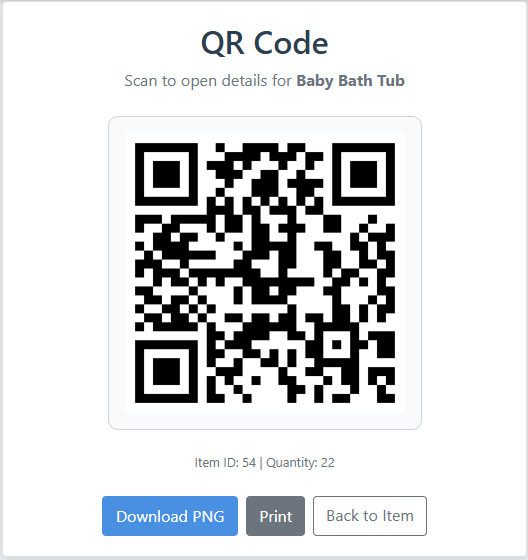
I also created utility support for exporting and printing QR codes in batches, which made the feature more realistic for large-scale labeling work instead of treating QR generation as a one-item-at-a-time demo feature.
Exports And Reporting
I finished the inventory export work so the system could produce data outside the browser for operational and reporting use. That included Excel exporting in addition to the broader reporting surface already available through the application.
This mattered because nonprofit operations often rely on portable files for review, sharing, and administrative follow-through. Exporting turns an internal web app into a more useful business tool.
Low-Stock Monitoring And Operations Dashboard
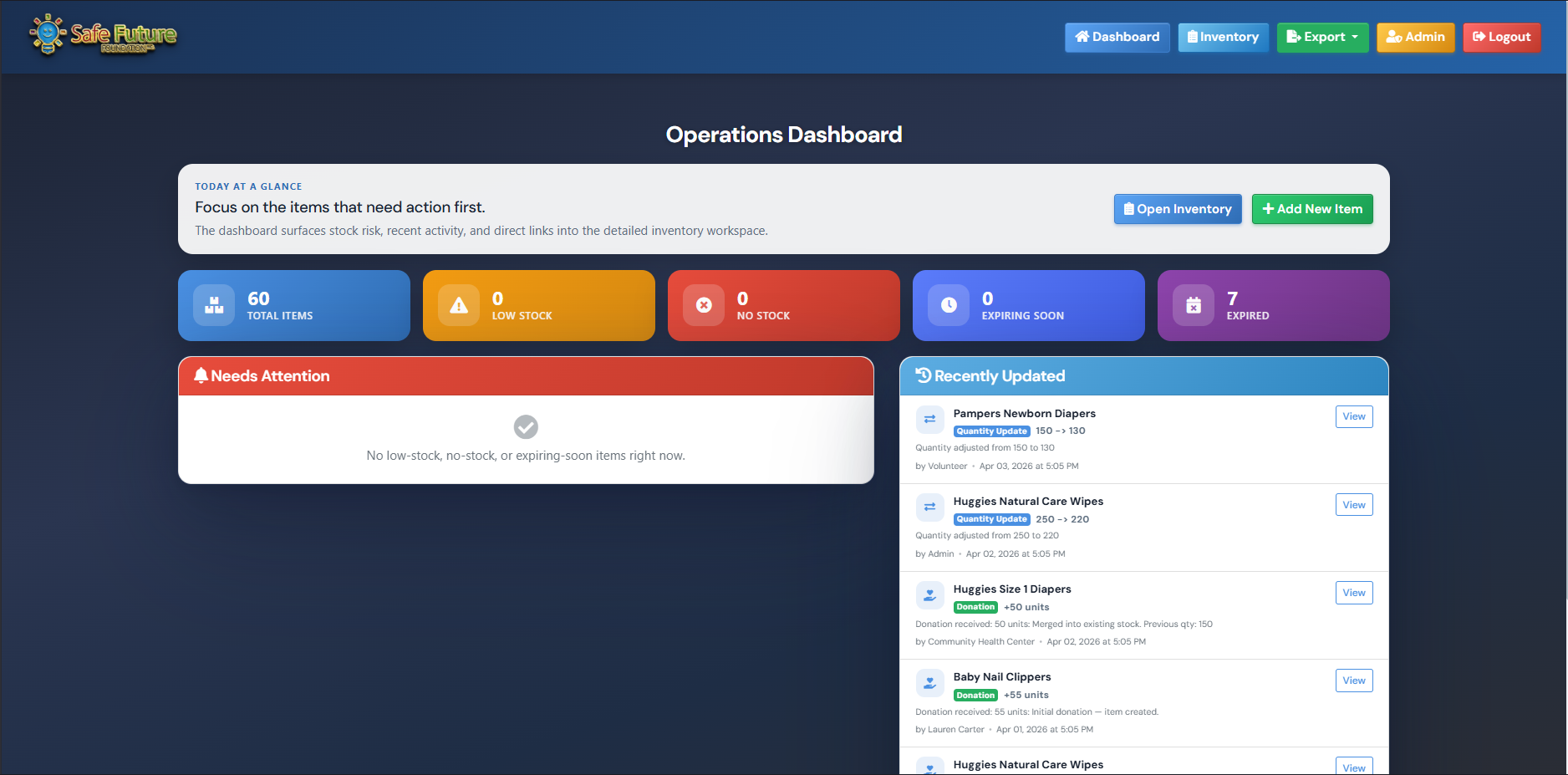
I implemented low-stock alerts and monitoring so the application could surface inventory risk earlier instead of leaving staff to discover shortages manually. Threshold-aware item states, dashboard visibility, and focused views made the system more proactive.
I then expanded that direction into a fuller operations dashboard with summary cards, attention areas, and recent activity visibility. That work pushed the project beyond CRUD screens and toward an operational control surface that communicates status quickly.
Admin Workflows And Product Polish
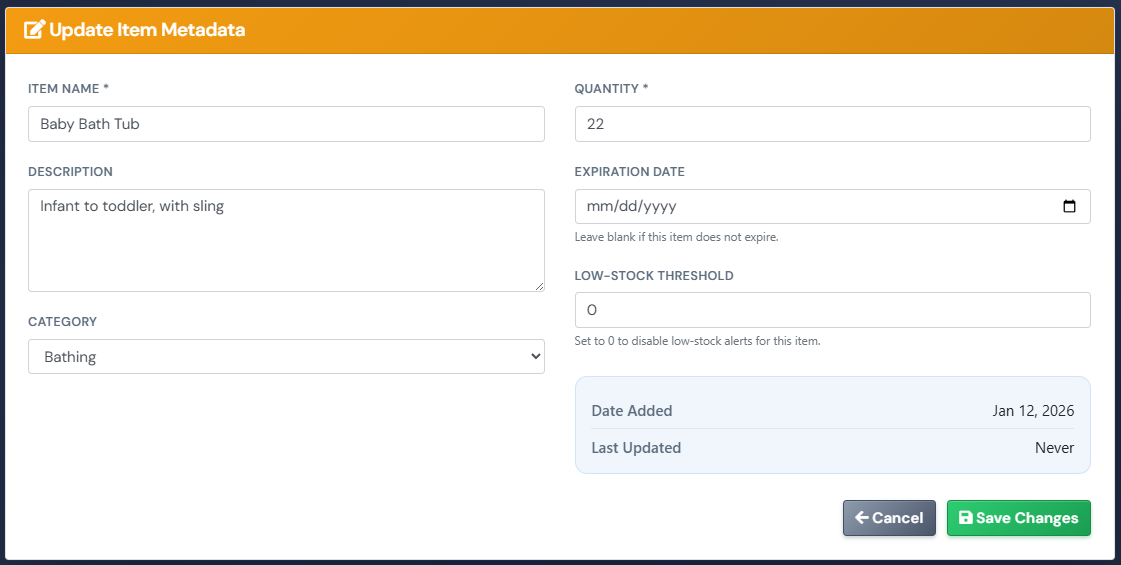
I added admin-only metadata editing on item details pages so privileged users could manage richer item information without overexposing editing capabilities to every account. I also handled polish work such as adding a favicon and tightening user-facing workflow details.
Those changes were not just cosmetic. They improved role separation, identity, and overall product finish, which are all part of delivering software that feels intentional rather than merely functional.
Security And Documentation
I performed a full security audit of the application and reviewed the system through a more production-minded lens instead of stopping at feature completeness. For a client-facing capstone, that kind of review matters because a working application is not the same as a trustworthy one.
I also wrote a professional README to serve as the primary handoff document for both business and technical audiences. It explains the project in stakeholder-friendly terms while still documenting architecture, workflows, setup, and operational readiness for maintainers.
What This Shows About Me
This project is one of the clearest examples of how I work as a full-stack developer. I was not only writing server-side code. I was shaping user workflows, improving mobile experience, building reporting and operational features, documenting the system for different audiences, and thinking about security, maintainability, and business value at the same time.
That combination is what makes the work meaningful to me now. It reflects engineering judgment, product thinking, and client-oriented delivery rather than just isolated feature implementation or academic completion.
Current Status
This work was completed through my UNF senior project sequence, but I position it as a year-long professional full-stack client engagement, not just a school project. It remains one of the strongest examples of my ability to deliver across the stack for a real organization with practical operational needs and stakeholder accountability.